
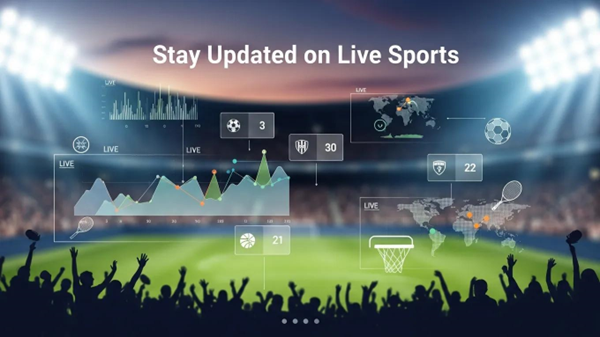
Keeping up with live sports schedules and event alerts is essential for fans who don’t want to miss a moment. Real-time information — from kickoff times to last-minute changes — makes watching and planning easier. This guide shows where to find complete schedules, how to set up notifications, and how to add fixtures to your calendar. We’ll also highlight recent trends in alerts and practical tips for ensuring the updates you receive are accurate and timely.
Knowing how to access live schedules helps you track upcoming games across teams and leagues. Here you’ll find reliable sources, a look at how match calendars are organized, and the best ways to get timely notifications. By the end, you’ll have a clear plan for staying informed about the sports you follow.
Key Takeaways
- Find full live schedules on official league sites, trusted sports media, and purpose-built sports apps.
- Schedules typically cover major leagues — NFL, Premier League, NBA, NCAA, MLB — for broad fan coverage.
- Match calendars are arranged by date and venue to make planning and navigation simple.
- Set up personalized alerts by picking a platform, selecting teams, and adjusting notification frequency.
- Platforms like ESPN, Yahoo Sports, and Bleacher Report deliver real-time updates and breaking news.
- Live score updates include current scores, player stats, and key highlights to keep you in the loop.
- Sync fixtures with Google Calendar, Apple Calendar, or Outlook to manage your schedule in one place.
- AI tools can predict changes and flag reschedules or injuries, helping you get ahead of updates.
- Rely on official sources, sports data APIs, and verified social accounts to ensure accuracy and speed.
How Can You Access Comprehensive Live Sports Schedules?
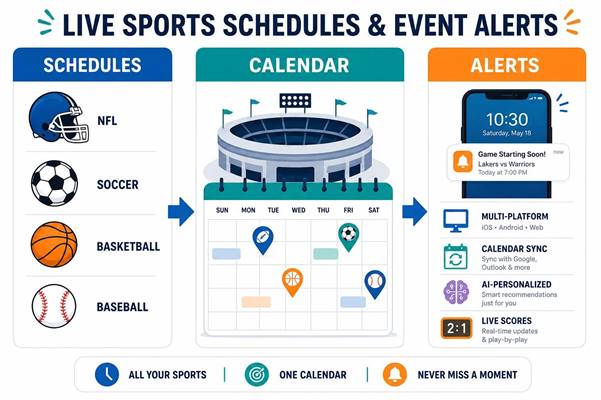
Comprehensive schedules are available across several reliable platforms. Official league websites publish full season calendars, sports news sites summarize fixtures and storylines, and dedicated apps combine schedules with alerts and live coverage. Together these sources give you match dates, kickoff times, venues, and often TV or streaming details so you can plan how to watch or attend.
What Are the Key Sports and Leagues Covered in Live Schedules?
Live schedules usually include the most-followed professional and collegiate competitions, such as:
- Football Schedules: Top-tier competitions like the NFL and Premier League.
- Basketball Schedules: NBA fixtures and key NCAA matchups.
- Baseball Schedules: Regular-season and postseason MLB games.
These calendars give fans a season-long view so you can follow favorite teams and plan around big matchups.
How Are Sports Match Calendars Organized by Date and Venue?
Match calendars are typically listed in chronological order and grouped by date to make it easy to scan upcoming action. Venue information is included so fans can identify home and away fixtures, find ticket or travel details, and see which games are local. This structure simplifies searching for a specific match and helps when you’re arranging watch parties or trips to the stadium.
What Are the Best Methods to Receive Sports Event Notifications?
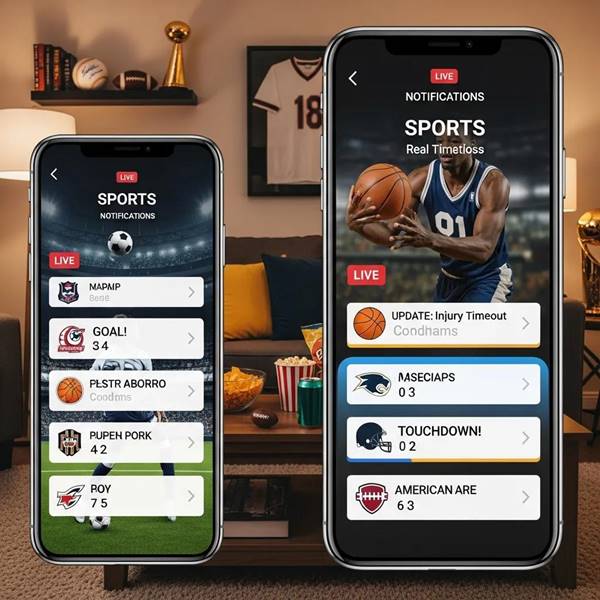
Getting timely notifications depends on choosing the right mix of tools. Push alerts on mobile apps, calendar integrations, and email or SMS updates each serve different needs — from instant score flashes to daily schedule digests. The best approach combines an app you trust with calendar syncing so you’re covered both for live updates and long-term planning.
How to Set Up Personalized Sports Event Alerts and Reminders?
Personalized alerts keep noise down and relevance high. To set them up:
- Choose Your Platform: Pick a sports app or website with robust notification settings.
- Set Preferences: Follow the teams, leagues, or competitions you care about most.
- Adjust Notification Frequency: Opt for push alerts for score changes, daily reminders for schedules, or only for major events.
Customizing alerts means you get what matters — not every play-by-play — and can avoid notification fatigue.
Which Platforms Offer Real-Time Live Game Updates and Notifications?
Several services focus on live updates and breaking news, including:
- ESPN: Broad coverage and live scoring across many sports.
- Yahoo Sports: Personalized feeds and push alerts based on your teams.
- Bleacher Report: Fast breaking news and highlight-driven updates.
These platforms combine scores, stats, and headlines to keep fans engaged throughout a game.
How Do Live Score Updates Enhance Your Sports Viewing Experience?
Live scores bring the action to you in real time, so even when you can’t watch, you can follow momentum shifts, key plays, and final outcomes. They keep fans connected to the narrative of the game and help you decide when to tune in or catch highlights.
What Types of Live Game Updates Are Available Across Sports?
Common live updates include:
- Score Updates: Instant point-by-point or goal updates as the game progresses.
- Player Statistics: Individual performance metrics like goals, assists, fouls, or minutes played.
- Game Highlights: Short clips or summaries of the most important moments.
Together these deliver a concise, informative view of what’s happening on the field or court.
How Are Live Scores Integrated with Event Notifications and Calendars?
Many apps link live scoring to calendar events so you get one-stop updates: scheduled game reminders, push alerts when a game starts, and score notifications during the match. Syncing these features keeps schedule management and live tracking in a single place for convenience.
How Can You Integrate Sports Fixtures Today into Your Personal Calendar?
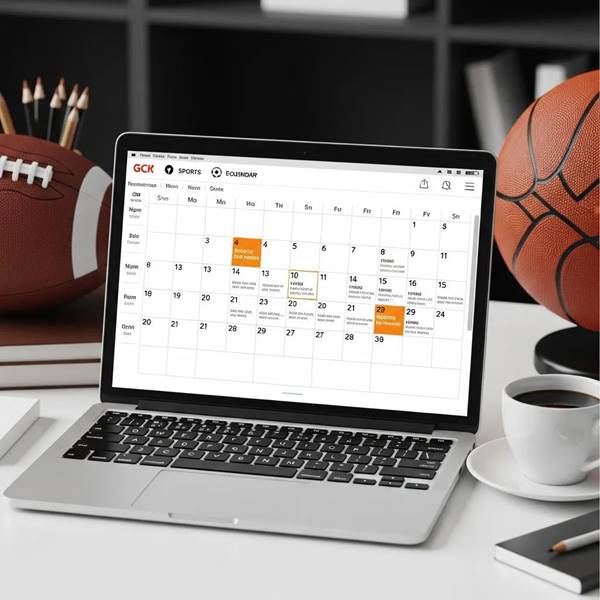
Adding fixtures to your calendar helps you balance games with work and life. Most sports services offer calendar feeds or direct integration so you can import full schedules into the calendar app you already use.
What Are the Steps to Sync Sports Match Calendars with Mobile and Web Apps?
To sync match calendars:
- Select a Calendar App: Use Google Calendar, Apple Calendar, or another app that supports external calendars.
- Find the Sports Calendar: Look for an “add calendar” option or a league/team calendar feed on the app or site.
- Sync and Customize: Subscribe to the calendar and set event reminders or notifications to suit your needs.
Once synced, your calendar will show upcoming games and send reminders based on the settings you choose.
Which Calendar Apps Support Sports Event Reminders and Alerts?
Popular calendar apps that support sports fixtures include:
- Google Calendar: Supports subscribing to public calendars and receiving notifications.
- Apple Calendar: Integrates with many league and team feeds for reminders.
- Outlook Calendar: Can import sports schedules for desktop and mobile access.
These apps make it easy to centralize sports events alongside your personal and work appointments.
What Are the Latest Trends in Sports Event Notifications and Scheduling?
Notifications and scheduling are evolving with tech. Expect smarter alerts, better integration with streaming, and more personalized experiences driven by data and AI.
How Is AI Used to Predict and Notify Upcoming Sports Events?
AI analyzes past schedules, injury reports, and other data to flag likely reschedules, suggest must-watch matchups, and surface relevant news. When integrated into notification systems, AI helps prioritize alerts so you get the most important updates faster.
What Are the Benefits of Mobile-First Notifications and Streaming Integration?
Mobile-first alerts and streaming links offer clear advantages:
- Increased Engagement: Fans respond quickly to timely, mobile-delivered content.
- Real-Time Updates: Instant push notifications keep you current as events unfold.
- Accessibility: Watch or receive alerts from anywhere, with direct links to streams or highlights.
These trends make following sports on the go easier and more immediate than ever.
How to Ensure Accuracy and Timeliness in Live Sports Schedules and Notifications?
Accuracy matters. Use verified sources and resilient data feeds to reduce errors and stay current when changes happen.
Which Official Sources and APIs Provide Reliable Sports Event Data?
Trusted sources include:
- Official League Websites: The primary reference for schedules and official notices.
- Sports Data APIs: Providers like Sportradar and Stats Perform deliver structured, real-time feeds for developers and platforms.
- News Outlets: Established sports media offer timely context and verification.
Combining these helps ensure your alerts are both fast and accurate.
How to Monitor and Update Sports Event Statuses Like Postponements or Live Changes?
Keep event statuses current with these tactics:
- Real-Time Alerts: Subscribe to status-change notifications for postponements or cancellations.
- Social Media Updates: Follow teams and leagues for immediate, official announcements.
- Dedicated Apps: Use apps that pull live data and push updates when a game’s status changes.
These methods help you adapt quickly when schedules shift.
Frequently Asked Questions
What are the advantages of using sports apps for notifications?
Sports apps deliver instant score updates, customizable alerts, and centralized schedules. They let you follow specific teams or competitions, view live stats and highlights, and choose how and when you’re notified so you only get the updates that matter to you.
Can I receive notifications for multiple sports and leagues simultaneously?
Yes. Most apps let you follow multiple teams and competitions across sports. You can mix and match preferences so your feed covers all the leagues you care about without having to switch between different services.
How do I ensure I receive timely notifications for live sports events?
Pick a reputable app with real-time feeds, enable push notifications, and subscribe to team or league alerts. Also keep your device’s notifications enabled and maintain a stable internet connection for the fastest updates.
What should I do if I miss a live sports event notification?
If you miss a notification, check the app or website for a recap, highlights, and final scores. Many platforms keep a timeline of major events and clips so you can catch up quickly, and social media accounts often post immediate summaries as well.
Are there any costs associated with receiving sports event notifications?
Basic notifications are usually free, but some apps offer premium subscriptions for ad-free experiences, advanced stats, or exclusive content. Review each app’s features to decide if a paid tier is worth the extras for your needs.
How can I provide feedback on sports event notifications I receive?
Most apps include a feedback or support option in settings. You can submit comments there, use in-app surveys, or contact support via email or social channels to suggest improvements or report issues. Your feedback helps developers refine alerts and features.
Conclusion
Staying on top of live sports schedules and notifications makes following your favorite teams easier and more enjoyable. Use official sources and trusted apps, customize alerts to match your preferences, and sync fixtures with your calendar for seamless planning. Start by choosing one reliable platform and tailoring its settings — then expand as needed to cover everything you follow.

0 Comments